
 By Joseph Batrin

The most useful thing any of these tools has ever done for me was not clever. It read about four hundred pages of my own operating documents and then answered a question about my business the way somebody who works here would answer it.
The Myth
Claude is ChatGPT with a different logo. Whichever one you already pay for is fine.
The second half of the myth is about size. Claude can take in a huge pile of documents at once, so you can hand it everything you have, type “read this,” and it will know your business.
The Reality
Start with the honest part. If all you do is open a chat window and ask questions, Claude and ChatGPT are close enough that the one you already pay for is fine. The chat boxes have converged. Both hold long conversations, both keep your files in a project so you are not pasting them in every time, and both remember what you have told them inside that project.
The difference that matters for a business is how far Anthropic, the company that makes Claude, has taken it past the chat box. Other companies are building tools like this too, and that race will keep changing, but right now Claude comes in three forms and most people have only seen the first one.
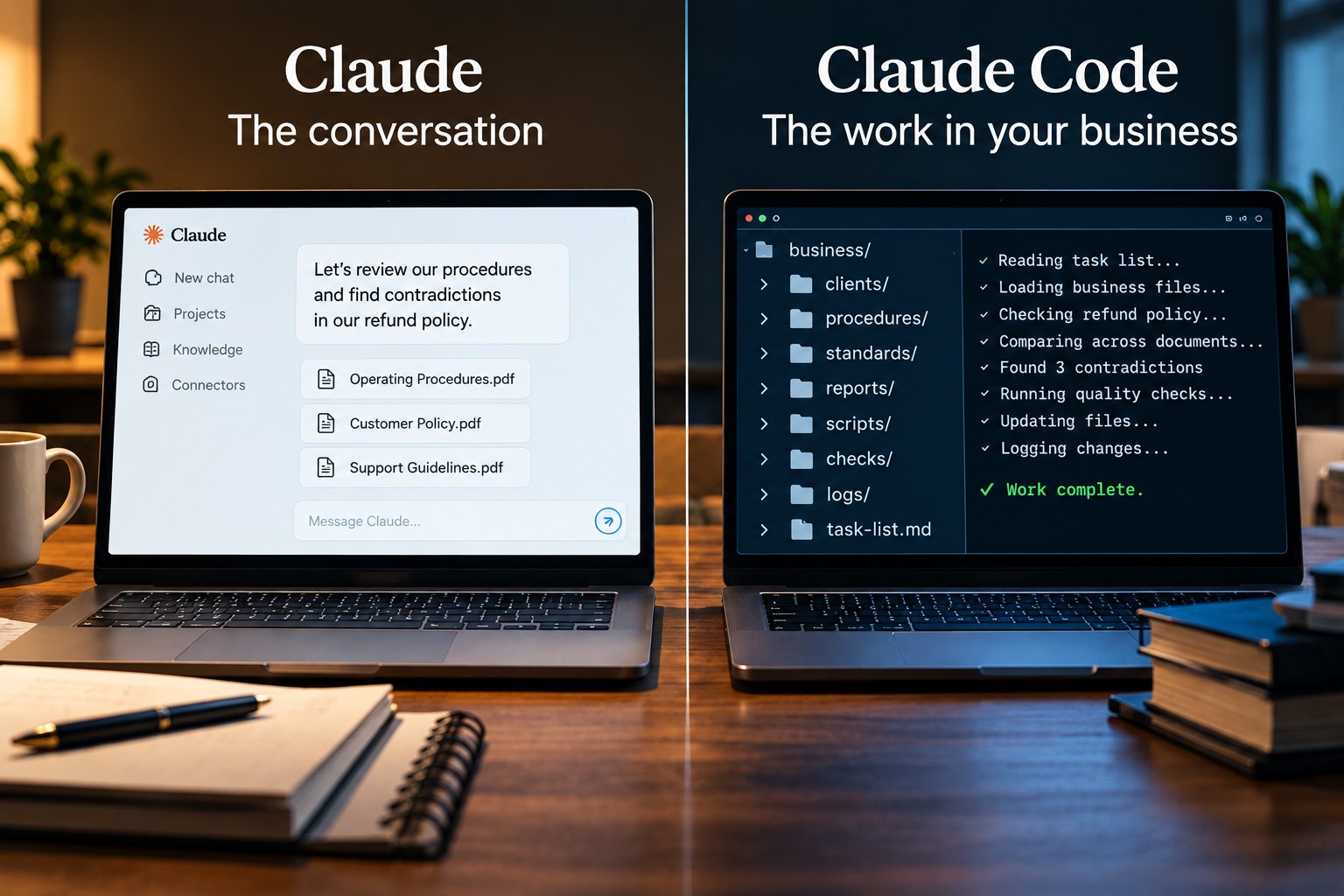
The first is the chat product, which talks with you about your work. The second is called Cowork, and it lives in the Claude desktop app on a paid plan. You choose a folder on your computer, and inside that folder it can open your files, read them, create new ones and change existing ones while you watch. The third is Claude Code, the version built for developers, which does the same kind of work in a folder but can be set up far more deeply, including automatic checks that stop it before it repeats a known mistake. Claude Code is what I run my operation on. Cowork is the version an owner who has never written code can start with this week.
That is the real answer to the myth. A chat tool helps you think about your business. A tool that works in your files helps you run it. The proposal it drafts is saved as a file, the price list it corrects is the actual price list, and the next session picks up from the files instead of from your memory of the last conversation.
The second half of the myth starts from a number that is true. These tools measure text in tokens, and roughly a thousand tokens make two pages of plain text. In the chat app, Claude can usually take in around two hundred thousand tokens at once, which is about five hundred pages. The largest models, used through Claude Code and the developer tools, take in about a million, which is closer to fifteen hundred pages. The exact figure depends on the plan and the model, but even the smaller number covers the core documents of most small businesses.
Taking it in is not the same as treating every page equally, and this is the number that gets oversold. Research on long documents found that earlier models relied most on what sat at the beginning and the end and least on what sat in the middle. Newer models have gotten much better at this, but they have not made it go away. A rule buried on page two hundred and twelve is in there, and it can still get missed.
The bigger problem is purpose. The four hundred page answer at the top of this article worked because I asked it something specific. Hand it four hundred pages and the words “read this,” and it has no idea what it is reading for, so it reads for the general idea and hands you a summary of your own documents back. The size of the pile gets your material in the door. Your instruction decides what it does with it once it is in.
None of the three goes looking through your computer on its own. The chat product sees what you upload and the accounts you choose to connect. Cowork works inside the folder you pick. Claude Code runs on your machine with whatever access you set it up with, and it asks before the actions you have told it to ask about. What any of them can reach is something you decide, so decide it on purpose.
Why This Costs You
The first cost is using the chat window as if it were an assistant. An owner explains the business, gets genuinely good help, and walks away with a great answer sitting in a chat window. Then he copies it out, pastes it into the real document, updates the price list by hand, and files everything himself. The tool did the thinking and he did all of the work. He is paying for an assistant and doing the assistant’s job.
The second cost comes from the size myth. He believes the capacity number is the whole story, so he pays for a bigger plan, loads in everything he has, and gets the same vague answers he got before. Size was never his problem. Nobody told the tool what decision the reading was for, and no plan upgrade fixes a missing instruction.
A Practical Example
Here is a real one from this operation, and it does not flatter the tool. On September 18 I asked it to review my approval folder, the queue where every document waiting on my sign off lives, and update it. Those are documents headed to clients and onto my website. It came back and told me the folder was reviewed. It was not. It had read the index, opened a few of the documents, and called the job finished. Any one of the rest could have gone out on the word of a tool that said it had looked. I found the gap myself, and what I told it that day is the whole lesson: “Done is supposed to be done not done half assed or partially done.”
Writing that down as a rule would not have fixed it. A rule is just more text for the tool to read, and it can read a rule and still talk its way around it. So I had Claude Code build a check. A check is a small program that runs on its own every time the tool finishes a reply. It reads what the tool just told me and looks for claims that a job is finished, such as done, fixed, published or verified. When it finds one, it looks for a receipt. A receipt is a short record the tool has to write when it does the checking: what it checked, how it checked it, and what it found. Something like this: I opened the approval folder, searched every document in it for the old price, and found none. If there is no receipt behind the claim, the check will not let the tool end its reply on it, and it sends the tool back to do the work.
Three weeks later the check turned out to have holes of its own. After it stopped the first unsupported claim in a session, it stopped checking for the rest of that session, and a session, meaning one continuous stretch of working with the tool, can run all day. In one of them it stopped a single claim and then let about thirteen hours of claims go straight through. Any receipt already on file also counted for any claim, so a receipt about one document would back a claim about a completely different one. And it missed some of the words the tool uses to say it is finished, such as built, live and deployed. So I had it rebuilt. Now every claim needs its own receipt, about the same thing the claim names, showing a check that passed, and a receipt goes stale the moment the file it names is changed again. If the tool still cannot back a claim after being sent back three times, the check lets it stop and tells me plainly that the claim has no proof behind it. An unproven done can still reach me, but never silently.
I tell that story because it is the honest version of working with these tools. The tool can do in an hour what would take me days, and it can also tell you it finished when it did not, in exactly the same confident voice. The check did not make it any smarter. What it did was make the word done cost something, because the tool now has to show its work, and when it cannot, I am told. The check has limits too, and I would rather say so than pretend otherwise. The tool writes its own receipts. The check can confirm that a receipt exists, that it matches the claim and that it says the check passed, but it cannot tell whether the checking behind it was any good. It also catches only the claims it knows how to recognize, and that list has already had to grow. Judging the rest is still my job.
You already know this problem, because you have had it with people. The job marked complete that was not, the order confirmed that never shipped, the follow up somebody swore they sent. The fix is the same with AI as it is with staff. Decide what done means for the work that matters, write it down, and do not accept done without the proof. The difference is that with the right setup, the tool cannot skip that step without you being told.
What Actually Works
Use the chat product for thinking and drafting. Use Cowork or Claude Code when the job is work across your files, such as reading and comparing documents, drafting anything that has to obey a written standard, or finding the same problem everywhere it appears.
Give it the documents rather than a summary of them. The instinct is to explain your business in a paragraph to save time. Attach the actual files instead, because the tool can take in far more than you would ever type, and a summary throws that away before it starts.
Give it the objective every time. Tell it why it is reading, what you are looking for and what you want back. Tell it to read every page, note the page and section for each point, and answer specifically rather than in general terms. A request that works sounds like this: read all of our procedures, because I am rewriting our refund policy; find every place a refund, a credit or a return is mentioned, list each one with its page number, and flag any two that contradict each other.
Put the rules that must never be broken at the top of the document, not buried in the middle. When you hand it a pile of documents, put the rule document first and say in your request that it governs everything else. That is the attention problem from earlier turned into a filing habit, and it costs nothing to do from the start.
Do not take done on faith. When the tool says a job is finished, ask it to show you what it checked and where, and open one of those yourself. Whether the tool enforces that on its own depends on how it is set up. In my operation Claude Code does, through a check like the one above. Without that setup, it is a habit you keep yourself.
If you try Cowork, start it on a copy of a folder, not the original. It changes real files, and a file it deletes may not land in your trash where you can get it back.
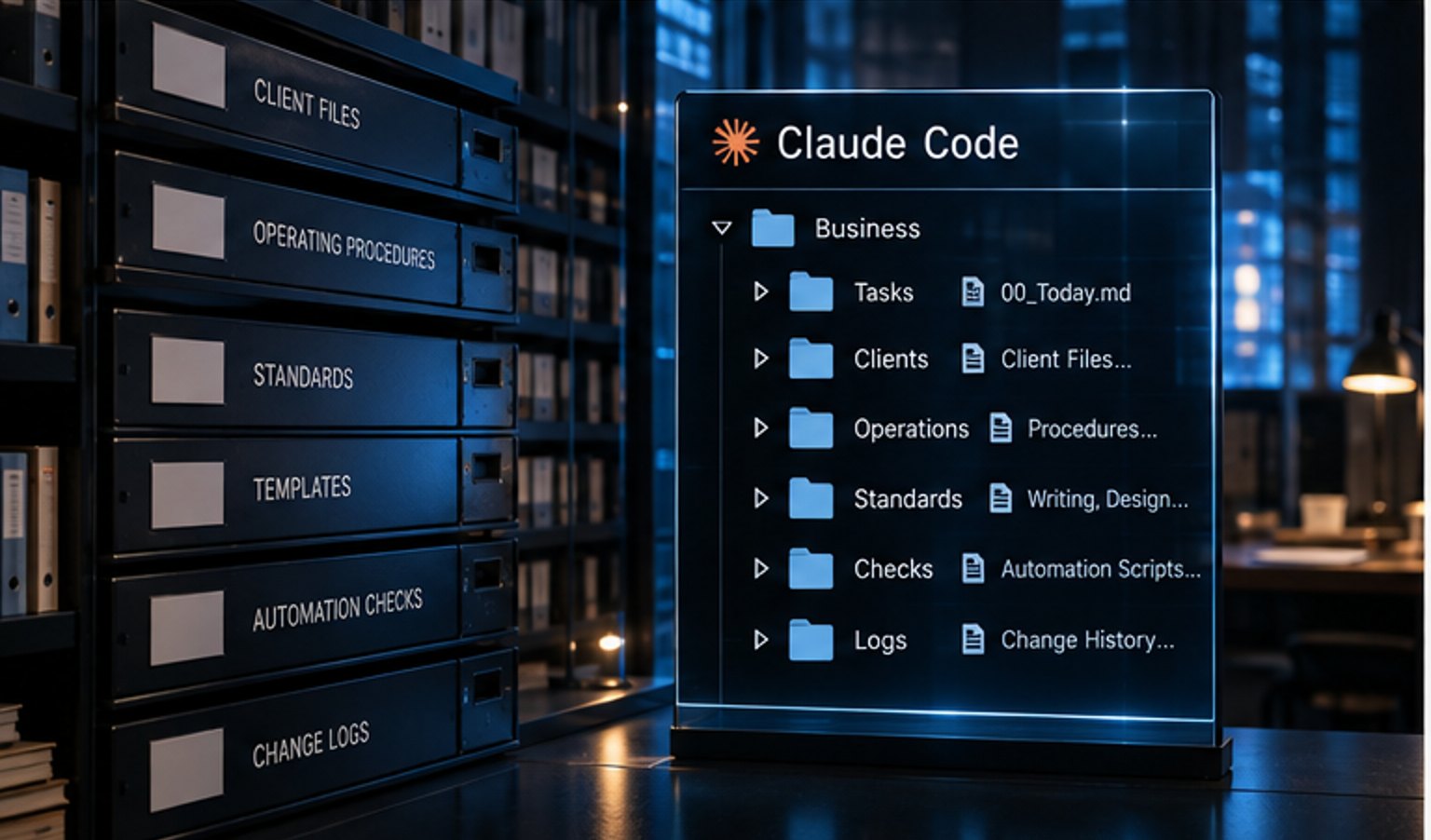
Write your standards down in plain language and keep them in the folder or project it works from. A written instruction is not guaranteed to hold, but it gives the tool something to check its work against and gives you something to check the tool against. Getting the tool to work in your business rather than talk about it is a setup job, not a subscription upgrade.
Do This Today
Copy five to ten of the documents your business runs on into one new folder, such as your price list, your service terms, your website copy and your standard quote. If you are on a paid plan, open the Claude desktop app, start Cowork on that copy, and give it one job: find every place a price, a policy or a promise appears, list each one with the file it came from, and flag every place two of them disagree.
Then check its list against the files yourself. What you learn is not whether the tool is smart. It is whether your business says the same thing everywhere it speaks, and most owners find out it does not.